Optimizing Technitium to make it a robust foundation. When name resolution hiccups, the whole household feels it faster than a power cut. DNS is the nervous system of any homelab and you should keep an eye on it.
After spinning up a validating resolver (Unbound) in Part 1 and getting Technitium running on Windows in Part 2, we will tune Technitium DNS Server on Windows Server 2025 in Part 3 to block advertisements using DNS sinkholes, switch on structured query logging with the Query Logs (Sqlite) app and configure some retentions.
We’ll close with a pragmatic Technitium vs. Pi-hole comparison and a blocklist review so you avoid noisy, low-value feeds. Sources and further reading are linked throughout.
Table of Contents
What you’ll learn about Optimizing Technitium
Lets look into these area’s to give you more features, benefits and understand the solution we implemented a bit deeper. What you’ll learn about Optimizing Technitium today:
- How the Query Logs (SQLite) add-in gives you a searchable audit trail without filling your SSD.
- How to block ads, trackers, and malware with quality lists instead of list sprawl.
- Where Technitium leaves Pi-hole behind—and where it doesn’t.
- Which blocklists I use and how many are “enough”
Logging – Query Logs (SQLite)
Personally I am using the simple approach. You can choose between MySQL, SQL Server and the Sqlite Approach in the Appstore. If you have preferences or you want to further use the logfiles, pick MySQL or SQL Server. I only use the logfiles within the GUI and for this Sqlite is the best approach. Go to Apps -> App Store and choose Sqlite.
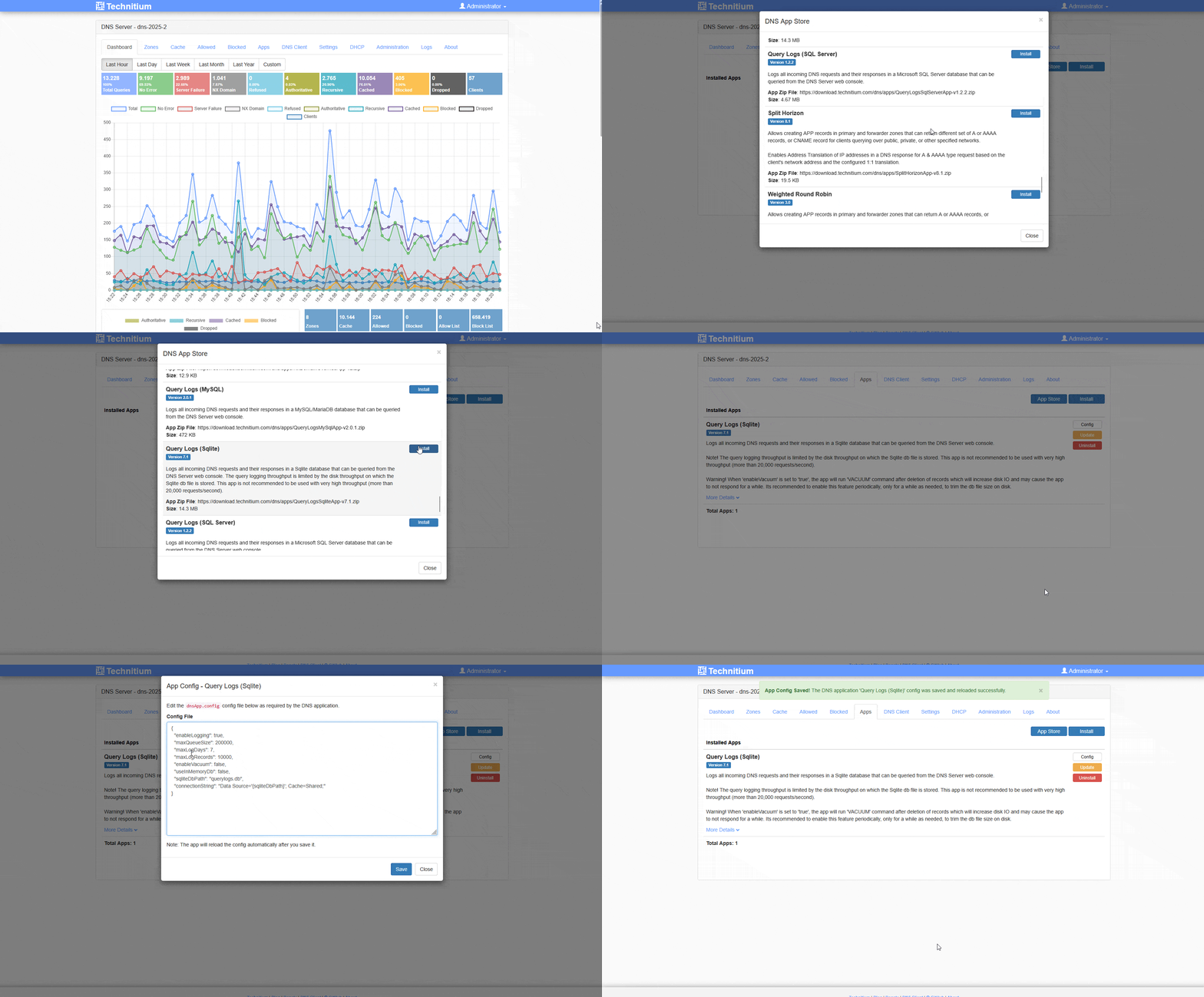
Once you enabled that you will have logfiles and a query logs option available.
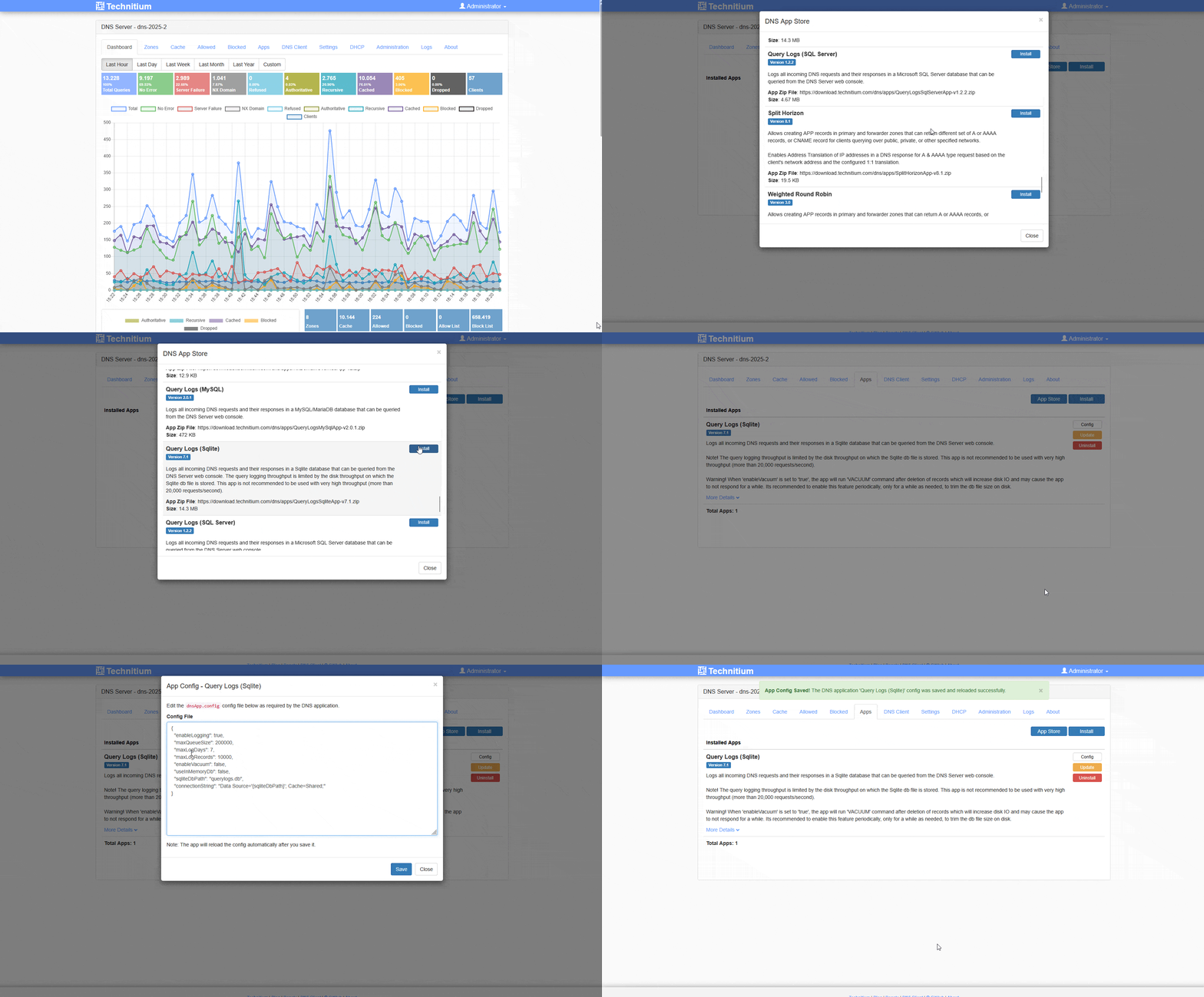
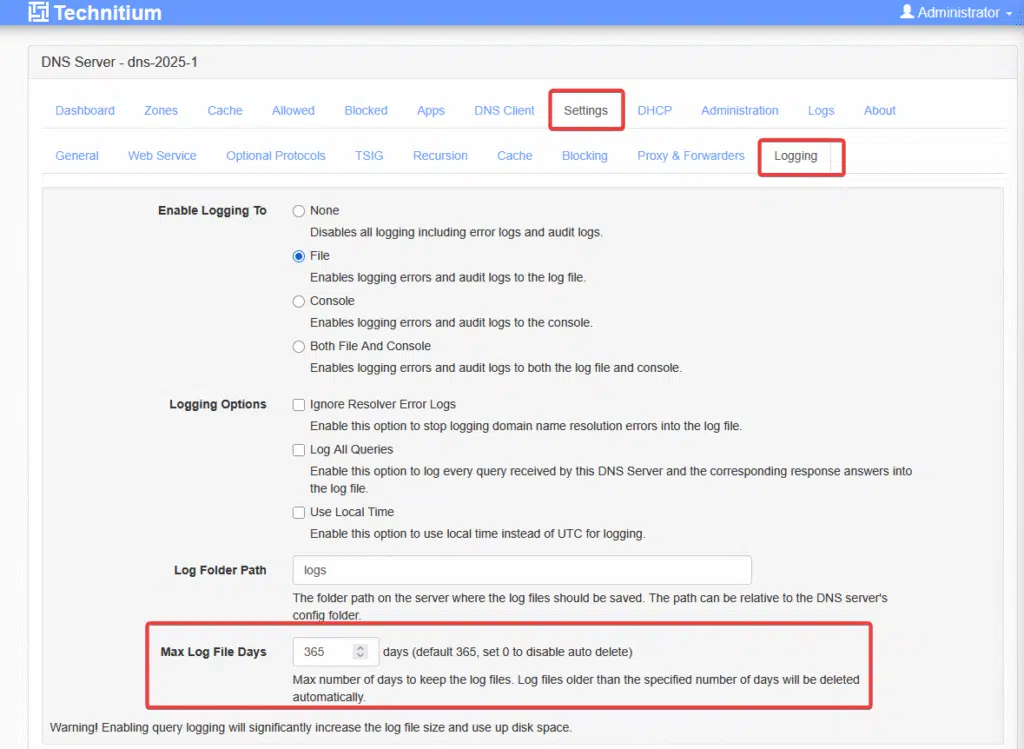
Depending on your requirements you should configure your logfile and it’s retention. In my private world I can run Max Log File Days of 365, but when using this in a small business or public organization, please keep the value lower and verify the setting with your Data Privacy responsible contacts.
DNS sinkhole: block advertisement, pull in security
How does Technitium block advertisement? Technitium replies with 0.0.0.0 for blocked domains. The quality of your lists matters far more than their number. This will reduce the amount of advertisement you see in Applications and on website dramatically.
Why does this beat a static hosts file?
Technitium tracks statistics per client, lets you whitelist via policy, and refreshes automatically—no cron jobs, no SSH. You can also troubleshoot issues a lot easier, when you use the logfiles to find blocked DNS names.
Technitium vs. Pi-hole – the 2025 view
Pi-hole is still a very good ad-block appliance, but on Windows you need two extra containers (Unbound + cloudflared) and you still get no authoritative zones. Technitium is a DNS operating system with the following features: authoritative, recursive, DoH/DoT/DoQ, policies and integrated apps.
If you want one box, pick Technitium. If you love Linux and a huge community, stick with Pi-hole. Pi-Hole also comes with nice Apps for iPad’s.
Blocklists – what stays, what goes
These are my blocklists, that I use today (updated 13.03.2026 and reduced to one):
https://raw.githubusercontent.com/StevenBlack/hosts/master/hostsVerify you have Blocking enabled. Check these settings in your Technitium.
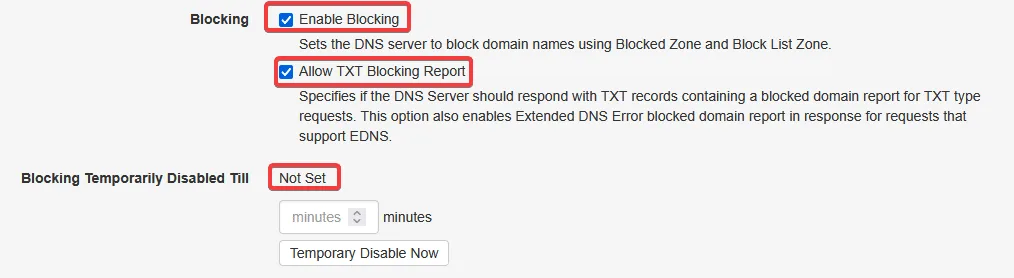
To load these lists open your Technitium Admin portal and go to settings -> blocking or use a direct link to the page: http://192.168.0.251:5380/#settingsTabPaneBlocking (make sure you change 192.168.0.251 with the IP of your Technitium DNS server. Once you made any changes click on save settings and also flush cache.
If I would start today, I would most likely start with these three blocklists:
- HaGeZi Pro / Normal – Github Link
- The Block List Project – Github Link
- Google Safebrowsing – http://code.google.com/apis/safebrowsing/

Using these lists I also require some whitelists for AI and some applications to work. You can download that list here on my github repository: Whitelist-Technitium-2025.txt
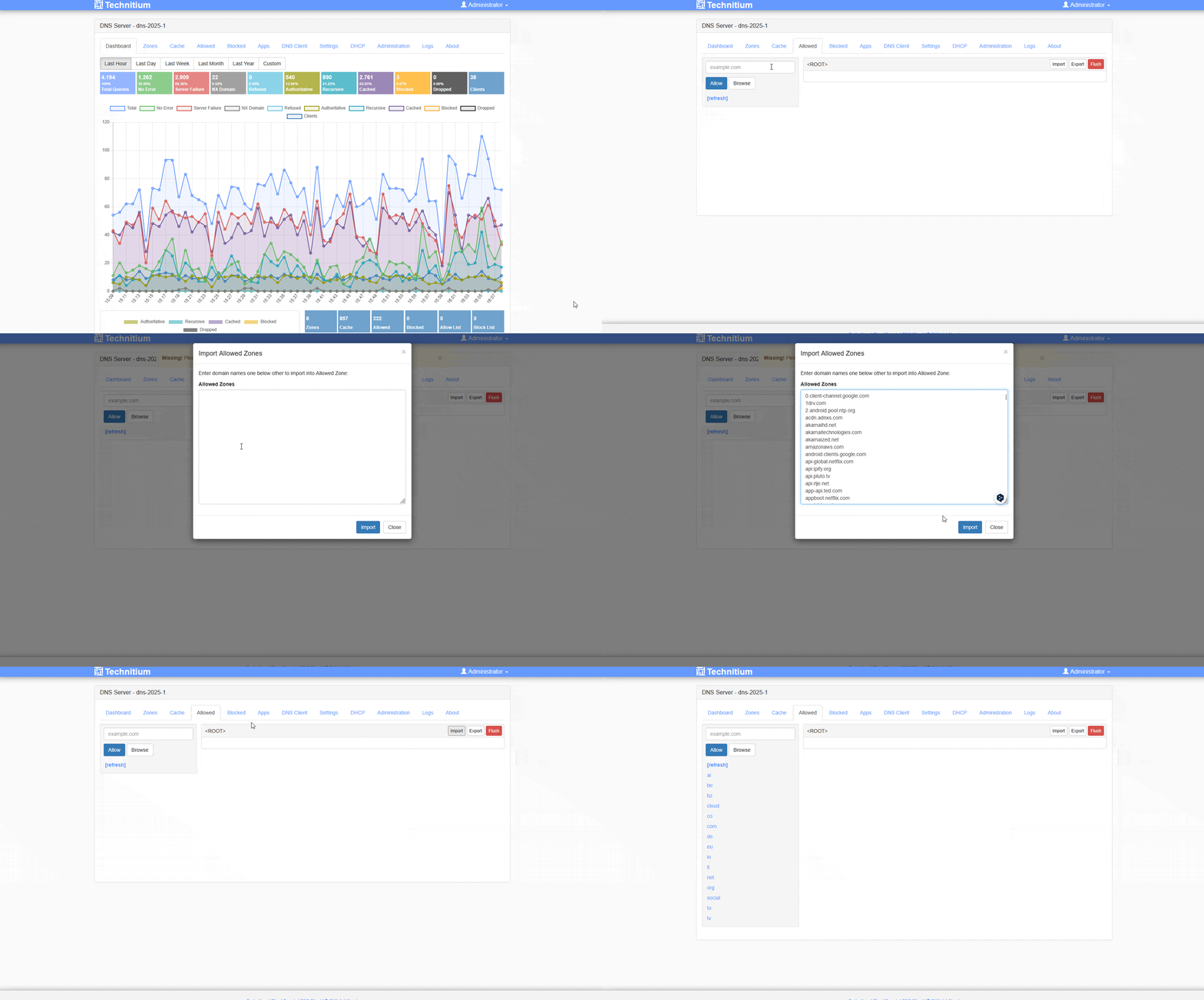
To load my whitelist or your backup open i.e. my Whitelist Textfile and copy all content *ctrl+a ctrl+v) open your Technitium Admin portal and go to Allowed and copy all content there or use a direct link to the page: http://192.168.0.251:5380/#mainPanelTabPaneAllowedZones (make sure you change 192.168.0.251 with the IP of your Technitium DNS server. Once you made any changes click on save settings. Don’t click flush here, as it will delete all your information on the Allowed URLs.
Important: More Allow / Blocklists are not good. Stick to a few good ones and identify which ones do work for you or not. Also verify that these are updates every once in a while and are not abandoned.
Conclusion
You can increase security and block advertisements by a quick configuration and use blocklist from the internet. Logfiles are a must and will help you configure the whitelists required. Use my whitelist, if you are working in a homelab and have a family using your Technitium to block advertisements.
If you are interested in this topic or Adaptive cloud, please follow me on LinkedIn, Bluesky or check my newly created Adaptive Cloud community on Reddit.