Tail for Logfiles with Windows – various options

I views a lot of log files and I always look for the functionality to use Tail for Logfiles with Windows “live” in a GUI.

Under Linux, this is very easy via “tail” and under Windows there are also several options.

My favorite tool is the CMTrace from Microsoft. This is available in every SCCM installation, but can also be extracted from an official download.

https://www.microsoft.com/en-us/evalcenter/download-microsoft-endpoint-configuration-manager

Simply unzip the file and you will find the CMTrace tool directly under \SMSSETUP\TOOLS\CMTrace.exe
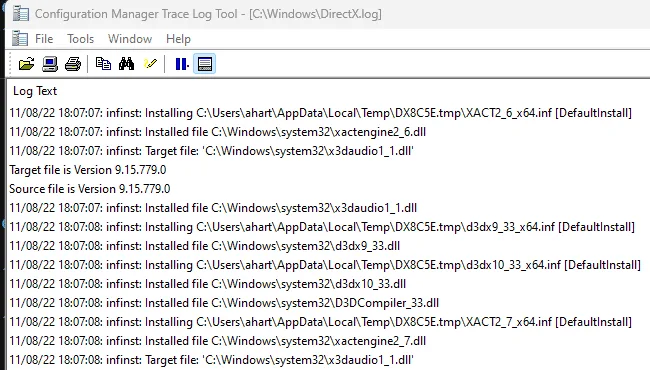
Configuration Manager Trace Log Tool

An alternative Tail tool for Logfiles with Windows is LogExpert. You can find it on Github.
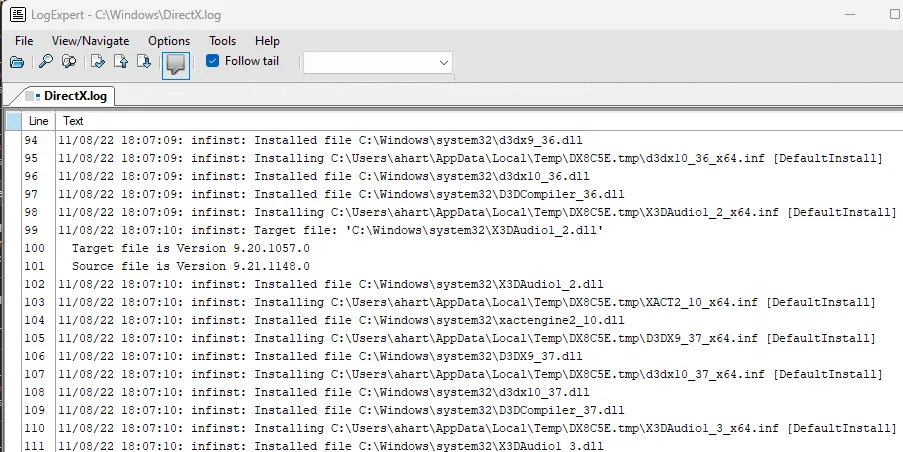
LogExpert Tail for Logfiles with Windows
LogExpert

For a more professional solution with more extensive functions, you can use BareTail.
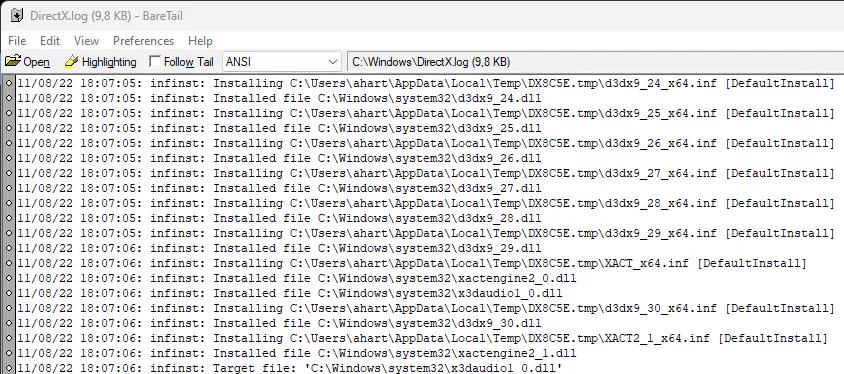
Bare Tail Tail for Logfiles with Windows
Bare Tail

A solution I recently found is DisplayTool 2.2 for Windows 10 / 11 which is available here.
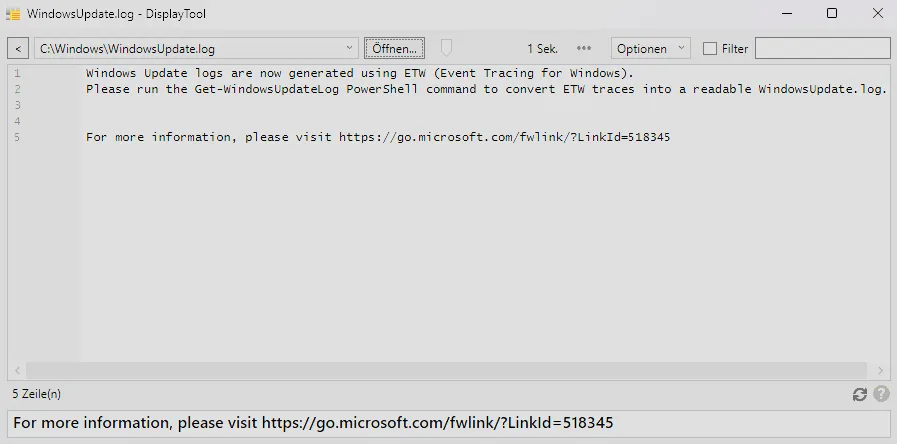
DisplayTool a Tail GUI for Logfiles with Windows
DisplayTool a Tail GUI

For the Commvault users among us, there is also GxTail. The Tail for Logfiles with Windows functionalities are particularly well adapted for Commvault, but I also be used for other log files.

Powershell Get-Content with -Tail for Logfiles with Windows

I use a Powershell command called Get-Content that does exactly what it is named for, because it gets the content of the file. This command has a flag or attribute called Tail that makes it equivalent to the Linux tail command.

Here is a simple tail command equivalent to the Windows PowerShell Get-Content command.

Get-Content .\directx.log -Tail 10
Powershell and Tail
Powershell and Tail

The tail command has an amazing feature that lets you monitor changes in real-time and view live logs! In this example I accomplished this by using the -f flag in Linux.

In Windows, I achieve this using the Wait flag and get a very good Tail for Logfiles with Windows experience.

An equivalent command to the Linux tail -f command in Windows PowerShell is the Get-Content command.

Get-Content .\directx.log -Tail 10 -Wait
Powershell and tail with wait

In the screenshot, the cursor is at the end of the file and has not returned to the terminal to monitor or wait for additional lines!

The links to these tools and much more than Tail for Logfiles with Windows can be found here. I also maintain a German version here.


Spread the knowledge
Avatar for Andreas Hartig
Andreas Hartig - MVP - Cloud and Datacenter Management, Microsoft Azure

Related Posts

dragon it system engineer grc benchmark

Windows DNS Performance Testing

DNS issues don’t always show up as clear outages. Often they show up as annoying browser behaviour like “random delays on first page load”, “sometimes it works, sometimes it spins”,…

Spread the knowledge
Read more
IT Security Dragon reading Windows Event Logs

Windows Server Event Log and Event Log Policies

Windows Server Event Log for most teams are only used when something already smells like incident:💥 DC misbehaving,💥 file server “mysteriously slow”,💥 SOC asking for “all the logs you have…

Spread the knowledge
Read more
notepad addons 2025 hero

Notepad++ – Most important AddOns 2025

Notepad++ is my favourite notebook and editor is actually perfect, but it can always be better. For this reason, there are a few “quality of life” improvements that I use…

Spread the knowledge
Read more
Technitium DNS Server on Windows

Homelab – Build a robust DNS foundation – Part 2 using Technitium DNS Server on Windows

Let’s create an improved version of the Technitium DNS server for Windows. Some time ago, I wrote a DNS guide to help you get started with your home laboratory. This…

Spread the knowledge
Read more
Tinyproxy and a dragon IT architect from the shadowrun world looking at a large screen with graphs on it

Tinyproxy on Hyper-V – new Ubuntu 24.04

A Linux VM with Proxy, such as tinyproxy, can be used to reduce bandwidth as it caches frequently requested websites. Today we want to configure a Linux VM with a Proxy and deploy…

Spread the knowledge
Read more
COM Port Management and a dragon IT architect from the shadowrun world looking at a com port and a manufacturing floor

Windows – easy COM Port Management without Admin Rights with Windows 10 & 11

COM Port Management with no administrator rights is a challenge. You might have noticed that I am currently involved in IT and OT discussions. During OT modernization, I encountered a…

Spread the knowledge
Read more