Notepad++ is my favourite notebook and editor is actually perfect, but it can always be better. For this reason, there are a few “quality of life” improvements that I use over the add-ons that are the Notepad++ my most important AddOns. As I keep using it constantly, I also keep my AddOns clean and updated. There have been a lot of changes, so it’s time for the 2025 version.
Table of Contents
AutoSave
AutoSave saves the open files automatically. This can also be customised via a menu.

ComparePlus
Quickly compare files side by side. More details on Github here.

NppFTP
Quick SFTP/FTP/FTPS edits from within N++ done the easy way. Very useful when you work on legacy connections or SFTP session on a daily basis.
More details can be found here.
Task List:
Configure your own “To Do’s” and get a list to the right side of notepad++.

The config file is located here: C:\Program Files\Notepad++\plugins\NppTaskList\config\npp_task_list.cfg
More details are available by the author on Github.
CSV Lint
Add syntax highlighting to comma-separated values (csv) and fixed width data files.

NppOpenAI
With this add-on from my “Notepad++ most important AddOns” you can establish a direct connection to OpenAI / ChatGPT. Developed by Richard Stockinger and can be found via Github. Currently not among the most important add-ons for Notepad, but entertaining and with potential.
To set it up, go to https://platform.openai.com/account/api-keys and log in with your OpenAI account.

With CTRL+Shift+O you can give any marked question to OpenAI and do not have to log in or use the OpenAI web interface.
Important: Please be aware that you need Project / Token based billing for this and your personal Chat GPT subscription won’t be sufficient.
Windows 11 Menu extension
Here in the blog you can find updates for Notepad++ from time to time. For example, there is finally the menu extension in Explorer for Windows 11. Keep looking for updates to learn more about Notepad++ and my most important AddOns.
After installing Windows 11 and Notepad++ just right click any supported file type in Windows Explorer -> Open with.
My Plugin Maintenance snapshot (as of Sep 6, 2025)
| Plugin | Category | Maintainer / Repo | Recent activity | 12-mo status | Notes |
|---|---|---|---|---|---|
| ComparePlus | Diff/merge | pnedev/comparePlus | v2.1.1 on Sep 3 2025 | Active | Best-in-class diff in N++. (GitHub) |
| JSON-Viewer | JSON tree | NPP-JSONViewer/JSON-Viewer | Updated Sep 1 2025 | Active | Lightweight tree view. (GitHub) |
| JsonTools | JSON lint/query/CSV | molsonkiko/JsonToolsNppPlugin | Updated Aug 19 2025 | Active | Power features for data. (GitHub) |
| DSpellCheck | Spell-check | Predelnik/DSpellCheck | Updated Jun 27 2025 | Active | Hunspell dictionaries. (GitHub) |
| NppFTP | SFTP/FTP | ashkulz/NppFTP | Updated Aug 26 2025 | Active | Integrated remote edit. (GitHub) |
| CSV Lint | CSV tooling | BdR76/CSVLint | Updated Aug 11 2025 | Active | Detect/convert/validate. (GitHub) |
| NppOpenAI | AI assist | Krazal/nppopenai | Updated Sep 1 2025 | Active | Inline prompts on selection. (GitHub) |
| AutoSave | Auto-save | NppPlugins (Stellari) | Distribution current; public changelog sparse | Unclear | Prefer built-in backup unless you need its triggers. (Google Sites, npp-user-manual.org) |
| Save as Admin | Elevation-on-save | Hsilgos/nppsaveasadmin | Compatibility issues reported in 2024 | Mixed | Works for many; verify on your N++ build. (GitHub, Community) |
| Task List (fork) | TODO panel | Megabyteceer/TaskList | Release Oct 24 2024 | Active | Use the maintained fork. (GitHub) |
| TakeNotes | Note taking | SourceForge (legacy) | Last release Oct 31 2013 | Stale | Remove/replace. (SourceForge, Super User) |
Are these all the Notepad++ AddOns we need?
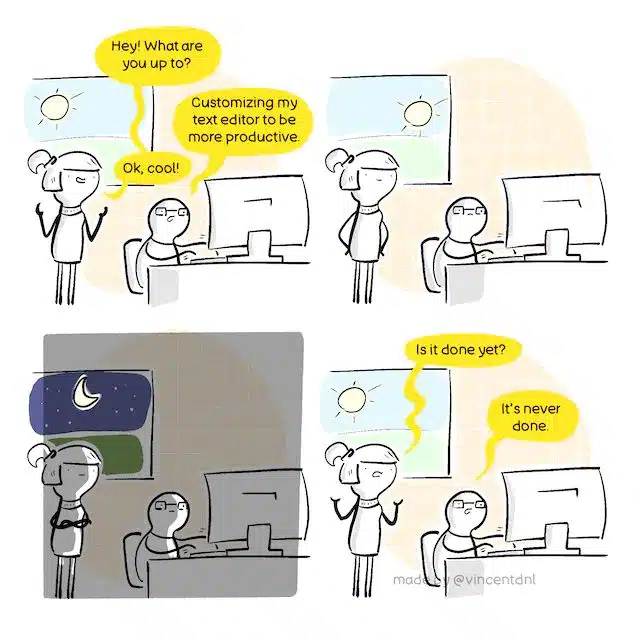
There are even more funny comics to discover on the website https://vincentdnl.com/ and you can support @Vincent Déniel!
If you have any questions please don’t hesitate to reach out to me on LinkedIn, Bluesky or check my newly created Adaptive Cloud community on Reddit.
LinkedIn: https://www.linkedin.com/in/andreas-hartig/
Bluesky: https://bsky.app/profile/hartiga.de
Adaptive Cloud community on Reddit: https://www.reddit.com/r/AdaptiveCloud/
This is an updated and enhanced version for my “Notepad++ – Most important AddOns” “version located here.