If you want to quickly sort or filter the GPOs in the Active Directory by name or by enabled computer or user GPO settings, it is best to use Powershell.
Table of Contents
Group Policy Report
For a Group Policy assessments which involve many GPOs, I should filter be able to filter by terms or settings and where those settings are then only enabled for computers and where for users.
With the following Powershell script, some patience and love for Excel you can build a Group Policy Report. This report can run for minutes in large environments. This is depending on the number of GPOs, the available network bandwidth and latency.
My Script
This is my script:
# Retrieve all GPOs (not all GPO Reports!)
$AllGpos = Get-GPO -All
# Create a custom object holding all the information for each GPO component Version and Enabled state
$GpoVersionInfo = foreach ($g in $AllGpos) {
    [xml]$Gpo = Get-GPOReport -ReportType Xml -Guid $g.Id
    [PSCustomObject]@{
        "Name" = $Gpo.GPO.Name
        "Comp-Ad" = $Gpo.GPO.Computer.VersionDirectory
        "Comp-Sys" = $Gpo.GPO.Computer.VersionSysvol
        "Comp Ena" = $Gpo.GPO.Computer.Enabled
        "User-Ad" = $Gpo.GPO.User.VersionDirectory
        "User-Sys" = $Gpo.GPO.User.VersionSysvol
        "User Ena" = $Gpo.GPO.User.Enabled
    }
}
# See the result
$GpoVersionInfo | Sort-Object Name | Format-Table -AutoSize -Wrap
I always copy the Powershell output into the text tool of my choice “Notepad++“, but you can of course create a CSV from it and then use it in Excel for all kinds of things.
Conclusion
Be prepared to use basic tools for Group Policy Reports and Assessments. I try to not rely too much on fancy tools as most assessments I am doing are in critical areas. If you can use tools, I do recommend to use the Active Directory Management Tool.
I would have recommended AGPM – Advanced Group Policy Management, but this has been announced as End of Life April 2026. If you are still using it, I do recommend evaluating options to replace it as part of your Windows Server 2025 strategy. For replacement options of AGPM please check here.
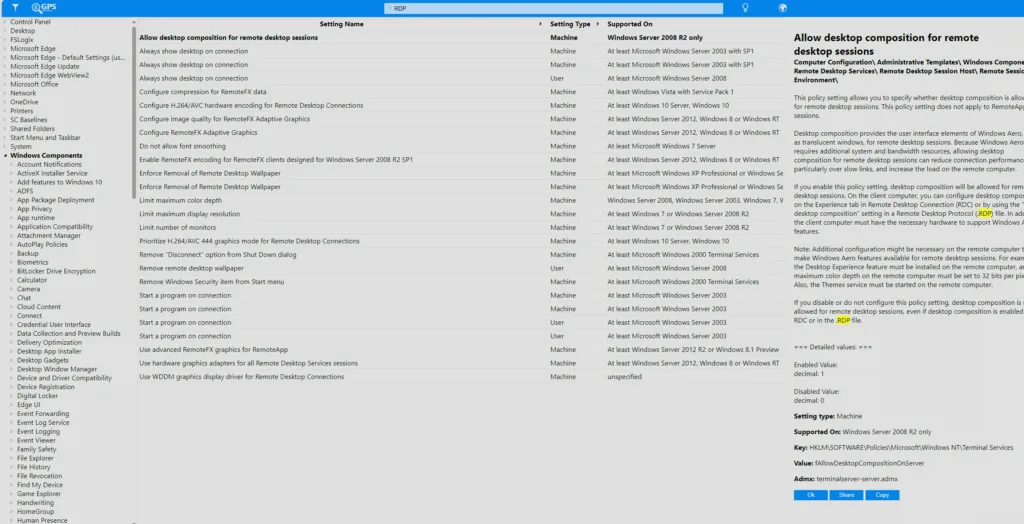
Microsoft Portal “Group Policy Search“
If you haven’t been using it so far, I do recommend the Microsoft Portal “Group Policy Search” to get prepared for the review.